
Editaimg is a versatile AI image editor for professional retouching. Effortlessly add people to photos, remove watermarks, and edit text within images using advanced AI technology.
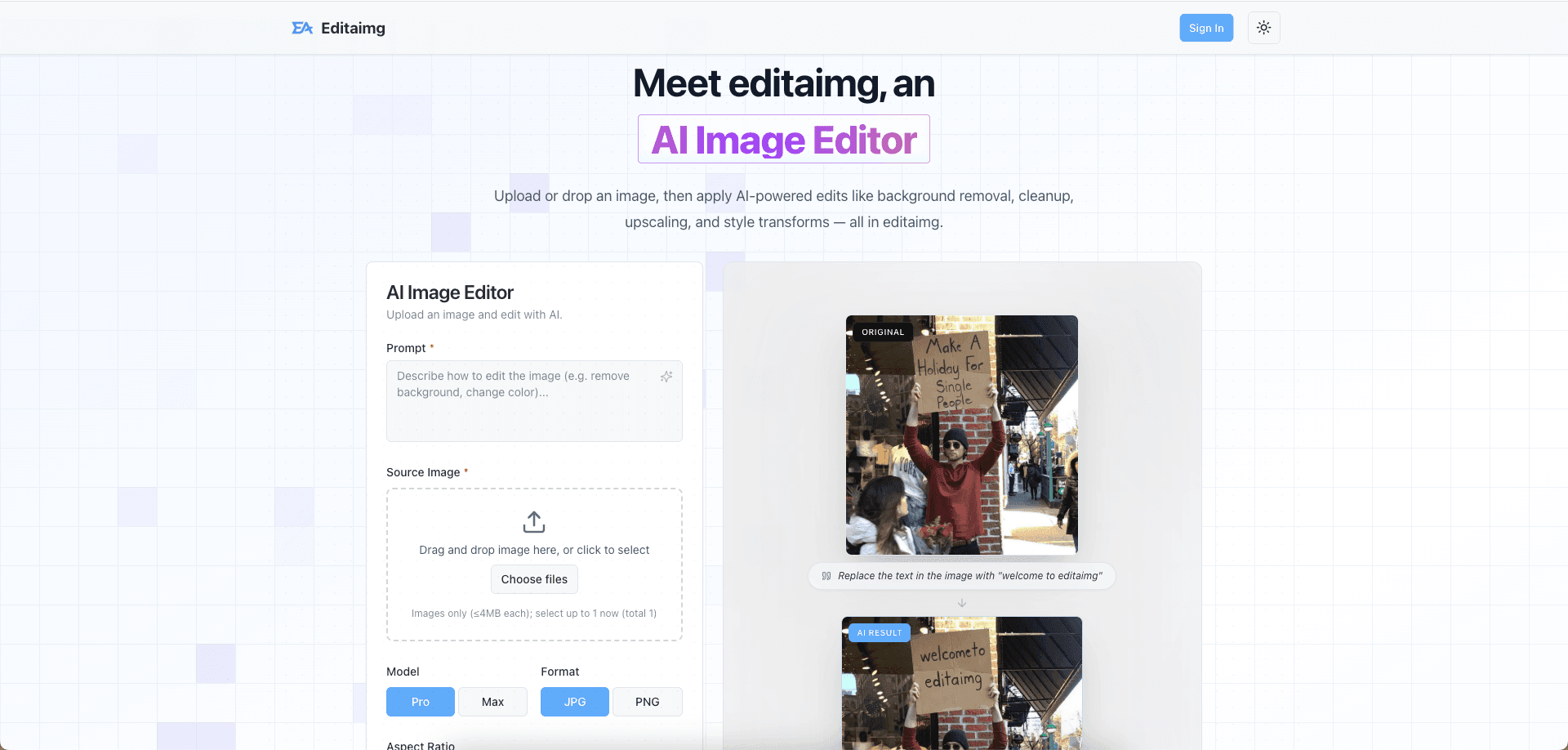
Editaimg is a comprehensive AI image editor designed to streamline creative workflows for photographers, designers, and social media enthusiasts. By leveraging cutting-edge artificial intelligence, the platform provides professional-grade retouching and editing capabilities that previously required hours of manual labor.
Intelligent object manipulation: Effortlessly add someone to photo compositions with realistic blending and lighting adjustments.
Precision text modification: Utilize the integrated image text editor to modify or replace text within existing graphics without losing font style or background integrity.
Automated enhancement: High-speed AI retouching for portraits, jewelry, and commercial products.
Resource Hub: Access a wealth of knowledge through our blog and tutorials, featuring guides on everything from AI snow trends to watermark removal.
The platform excels at making complex edits accessible. Whether you are looking to remove distracting watermarks or enhance the aesthetic quality of your photos, Editaimg provides the tools necessary to achieve polished results. Its intuitive interface ensures that both beginners and professionals can transform their visual content in just a few clicks. Editaimg prioritizes user experience by offering specialized tools for niche editing needs. Beyond standard cropping and filtering, users can explore innovative features like the Gemini watermark remover and seasonal effects. By combining power with simplicity, Editaimg stands as a top-tier choice for anyone looking to elevate their digital imagery through the power of AI.

Select a badge style and copy the code below.
<a href="https://aisofto.com/tools/editaimg.com" title="Featured on AiSoftO.com" target="_blank"><img src="https://aisofto.com/embed/featured1.png" alt="Featured on AiSoftO.com" width="250" height="54" style="width: 250px; height: auto;" /></a>Copy and paste this code into your website to embed this tool.








Discussion (1)
Please to leave a comment.