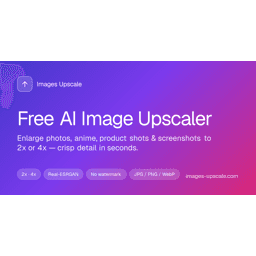
Handpicked best alternatives to Images Upscale ranked by community upvotes, features, pricing, and overall engagement.
Transform Images. Effortlessly
MorphPhoto is an all-in-one AI photo editor designed to make image editing faster, simpler, and more accessible. Instead of switching between multiple specialized tools, you can upload an image and use AI to edit, enhance, restore, and transform it in one streamlined workspace.
MorphPhoto supports a wide range of everyday image editing tasks, including removing unwanted objects and people, removing or replacing backgrounds, enhancing image quality, restoring old and damaged photos, restyling images, and expanding images beyond their original frame. You can use simple text instructions to describe the changes you want, making complex edits possible without advanced Photoshop skills.
Whether you are editing portraits, product photos, family pictures, old photographs, social media content, or creative images, MorphPhoto helps you achieve professional-looking results with less manual work. With multiple AI models and specialized editing capabilities, MorphPhoto gives users more flexibility and control while keeping the editing experience simple and intuitive.

AI Image Cleaner: Remove Objects from Photos
AI Image Cleaner is a free, browser-based photo cleanup tool designed for people who need to erase unwanted people, objects, text, or watermarks - and fill the hole with AI inpainting - without installing desktop software or hitting a payment wall on day one.
Positioning: AI Image Cleaner is both the brand and the product domain (ai-image-cleaner.com). The homepage is the workbench (upload -> brush mask -> clean -> download). Tool landing pages under /tools/ handle specific intents such as AI object remover, remove person from photo, AI watermark remover, remove text from image AI, and remove object from photo, so the main workspace stays uncluttered.
Getting started: visit website, upload a JPEG or PNG, paint only the region that should disappear, then run clean. Oversized images are resized automatically for reliable processing. Preview with before/after, then download. Guests can complete three cleans per IP with no account. Google sign-in grants 10 starter credits and 4 daily credits on the first visit each local day; each successful clean costs 2 credits. Failed jobs refund credits. Signed-in history is retained on the order of about 30 days.
What AI Image Cleaner is not: it is not a full design suite, auto-detect-everything magic wand, video editor, or generative text-to-image app. You paint the mask yourself for thin wires, partial people, and mixed clutter where auto-select often fails. Monetization via paid plans is waitlisted; there is no paid subscription required for core cleaning in the MVP. Content and rights: users should only process images they own or are authorized to edit.
Platform: modern desktop and mobile browsers; English and Chinese. Cloud processing requires an internet connection. Privacy and Terms explain Google account data, uploads, masks, results, guest IP hashing for quotas, retention, and processors. For directory editors and partners.
In short: AI Image Cleaner packages an honest free path - try three guest cleans, then credits after Google - into a focused brush-mask object removal product for everyday photo cleanup.
Replace text in finished images online while matching the original font, style, and background.
ReWords AI is an online image text editor built for finished images such as screenshots, posters, packaging, product photos, and social graphics. Upload an image, select the text area, enter replacement copy, and let the tool reconstruct the surrounding pixels while matching the original typography and visual style.
It is useful when the source design file is unavailable or when a localized version is needed quickly. The workflow runs in the browser and is designed to preserve the rest of the image while changing only the requested text.
Replace text inside existing images
Match the original font, style, and background
Work with screenshots, posters, packaging, and product photos
Download the edited result after processing
Extend your image to custom size with PixExtender's AI outpainting, up to 4096px, no quality loss.
PixExtender is an AI-powered image extender that uncrops and expands images seamlessly without losing quality. It uses context-aware outpainting to match lighting, texture, and depth, creating natural, professional visuals perfect for social media, ads, and e-commerce. Users can extend images up to 4096x4096 pixels with preset or custom aspect ratios.
Batch processing of up to 20 images saves time for large projects. The tool works directly in browsers—no software needed—and exports extended images in JPG, PNG, or WEBP formats, fitting smoothly into any design or publishing workflow.

An AI-powered image editor and video creation platform featuring character consistency and precise prompt-based editing.

iLikeIMG: free AI toolkit for image and video enhancement, generation, editing, and restoration.
iLikeIMG is an all-in-one free AI platform for images and video. Enhance and restore photos, generate AI avatars and videos, transfer artistic styles, redesign rooms, and create social-ready effects. New tools added regularly. Browser-based — no downloads. Built for creators, marketers, and anyone needing fast, professional results.

AI Image Editor, AI Image Generator, Image to Image AI, AI Image Extender, Nano Banana2
ZeroGen is an all-in-one online platform for image generation and editing. Create high-quality visuals in seconds with powerful tools like editing, outpainting, background removal, and style re-rendering.

Generate photorealistic images with perfect text rendering & character consistency. Features 4MP resolution and 8-image reference support.
Flux 2 Image Generator is an advanced AI-powered SaaS designed to create photorealistic images with unparalleled text rendering and character consistency. It empowers creative professionals and marketing teams to generate high-quality visual content efficiently and reliably.

Editaimg is a versatile AI image editor for professional retouching. Effortlessly add people to photos, remove watermarks, and edit text within images using advanced AI technology.
Editaimg is a comprehensive AI image editor designed to streamline creative workflows for photographers, designers, and social media enthusiasts. By leveraging cutting-edge artificial intelligence, the platform provides professional-grade retouching and editing capabilities that previously required hours of manual labor.
Intelligent object manipulation: Effortlessly add someone to photo compositions with realistic blending and lighting adjustments.
Precision text modification: Utilize the integrated image text editor to modify or replace text within existing graphics without losing font style or background integrity.
Automated enhancement: High-speed AI retouching for portraits, jewelry, and commercial products.
Resource Hub: Access a wealth of knowledge through our blog and tutorials, featuring guides on everything from AI snow trends to watermark removal.
The platform excels at making complex edits accessible. Whether you are looking to remove distracting watermarks or enhance the aesthetic quality of your photos, Editaimg provides the tools necessary to achieve polished results. Its intuitive interface ensures that both beginners and professionals can transform their visual content in just a few clicks. Editaimg prioritizes user experience by offering specialized tools for niche editing needs. Beyond standard cropping and filtering, users can explore innovative features like the Gemini watermark remover and seasonal effects. By combining power with simplicity, Editaimg stands as a top-tier choice for anyone looking to elevate their digital imagery through the power of AI.

Free AI Image Generator: Create stunning anime art & realistic photos with Nano Banana. Text-to-image, image-to-image, 4K quality. 36 free credits!
Banagen is a powerful free AI image generator powered by Google's Gemini 3.0 Pro Image. Create stunning anime art, realistic photos, and 3D renders from text or images in seconds.
36 free credits upon signup (no credit card required)
Text-to-image generation
Image-to-image transformation
Perfect for anime character creation and photo editing
Unlike other AI generators, Banagen renders readable text in 100+ languages with zero spelling errors.
Perfect for:
Infographics & diagrams
Social media posts
Menu designs & posters
Marketing materials
Native 2K generation with 4K upscaling
Sharp details and consistent lighting
Production-ready quality for print
Maintain the appearance of your anime waifu or characters across multiple images.
Upload up to 10 reference images
Achieve consistent character visuals across generations
Ground your image generations with real-world data using integrated Google Search.
Manga & Anime Artists — Create character designs & concept art
Content Creators — Generate social media graphics instantly
Game Developers — Design game assets & character art
Marketers — Create visual content for campaigns
Students & Hobbyists — Explore AI art creation for free
Free — 36 credits (try all features)
Pro — More credits, 4K upscaling, commercial rights
Agency — Team collaboration & priority support
✅ Best free tier — 36 credits to start
✅ Anime-focused — Perfect for manga & anime art
✅ Text rendering — Readable text inside images
✅ No credit card required — Start free immediately
✅ Commercial rights — Pro plans include 100% rights
Join 13M+ creators using Banagen to create amazing AI art! 🚀
